Installation guide for R and RStudio
Step 1: Install R
Download the R installer from: https://cloud.r-project.org/. The latest version of R is 3.4.3
I recommend you install a precompiled binary distribution for your operating system.
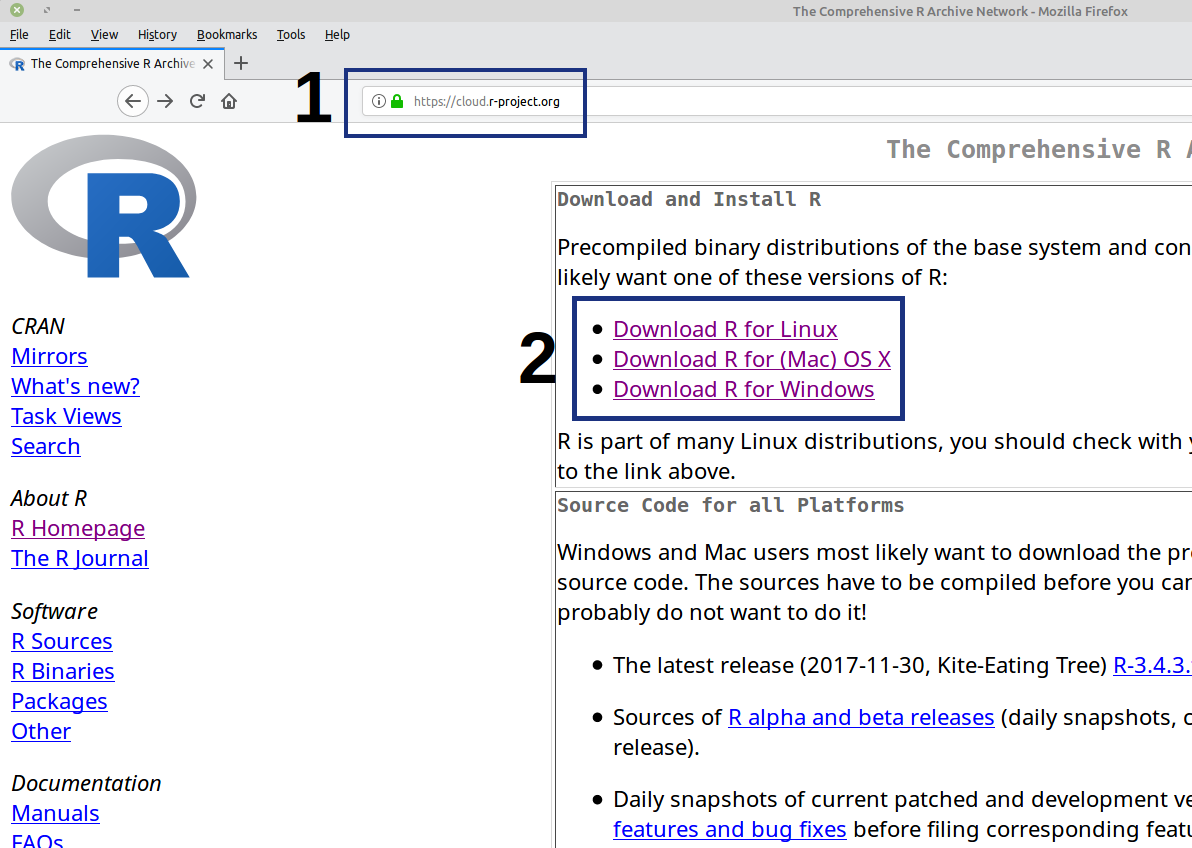
For Mac and Windows users, just run the installer:
R-3.4.3.pkgandR-3.4.3-win.exe. Default settings are fine.For Linux users, you might want to consult this tutorial (https://www.digitalocean.com/community/tutorials/how-to-install-r-on-ubuntu-16-04-2). In case you are using other Linux distros, there’s official installation guide on the R Project website.
Step 2: Install RStudio
RStudio is a powerful IDE (stands for integrated development environment) for R. Just like Microsoft Word that helps you write and format texts, RStudio makes it much easier to write and run R codes.
I recommend you install the Preview version of RStudio which can be downloaded from: https://www.rstudio.com/products/rstudio/download/preview/
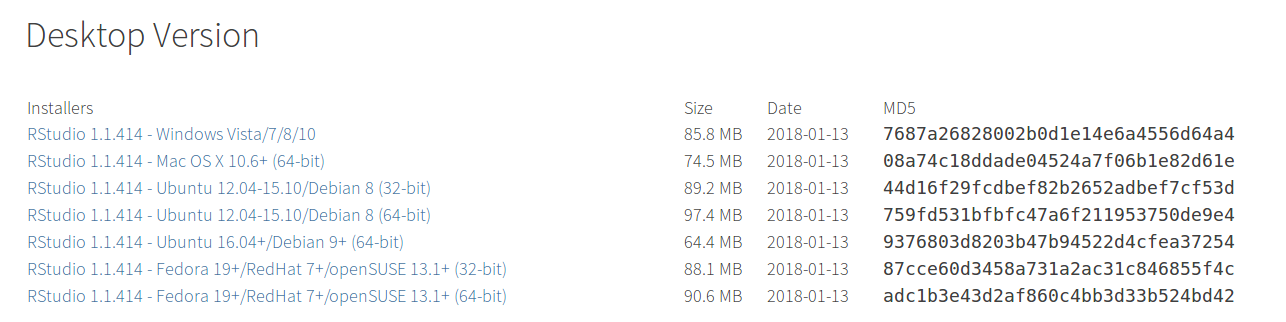
- If you already installed R and/or RStudio, I highly recommend that you reinstall both and get as current as possible.
Step 3: Check that R and RStudio are working
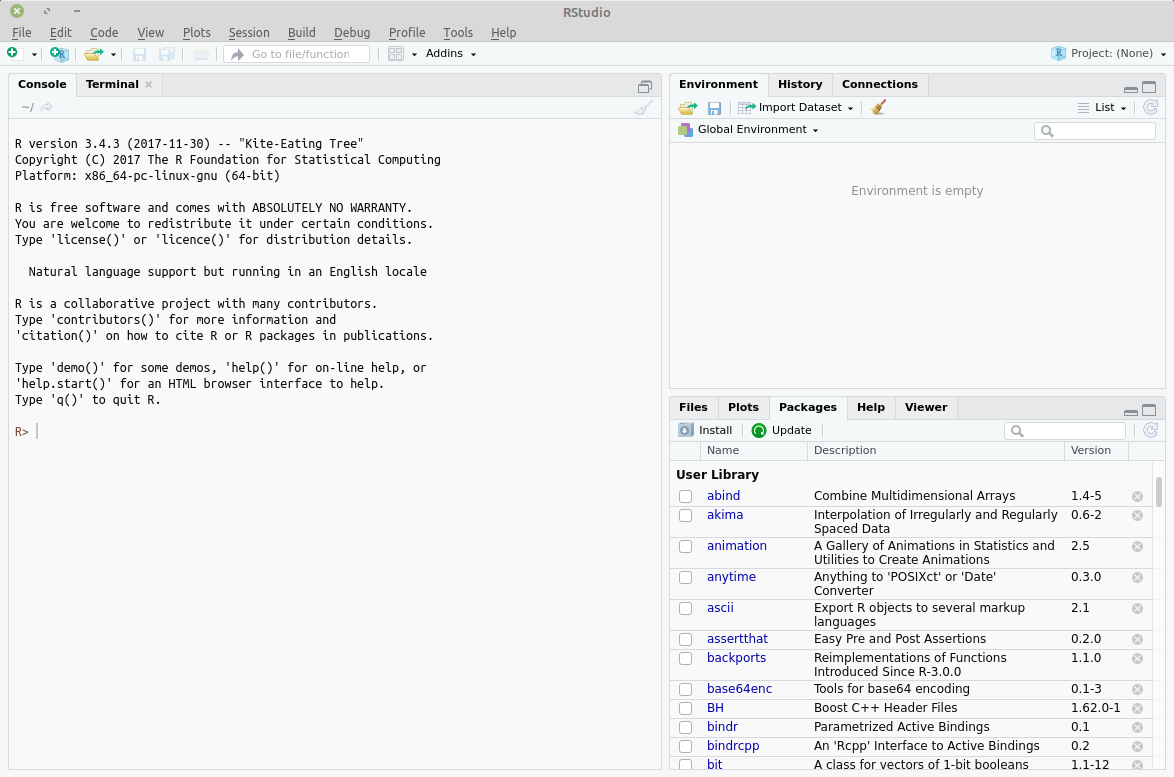
Open RStudio. It should open a window that looks similar to image below. (I am using a Linux machine)
If this is not successful, contact us for further support.